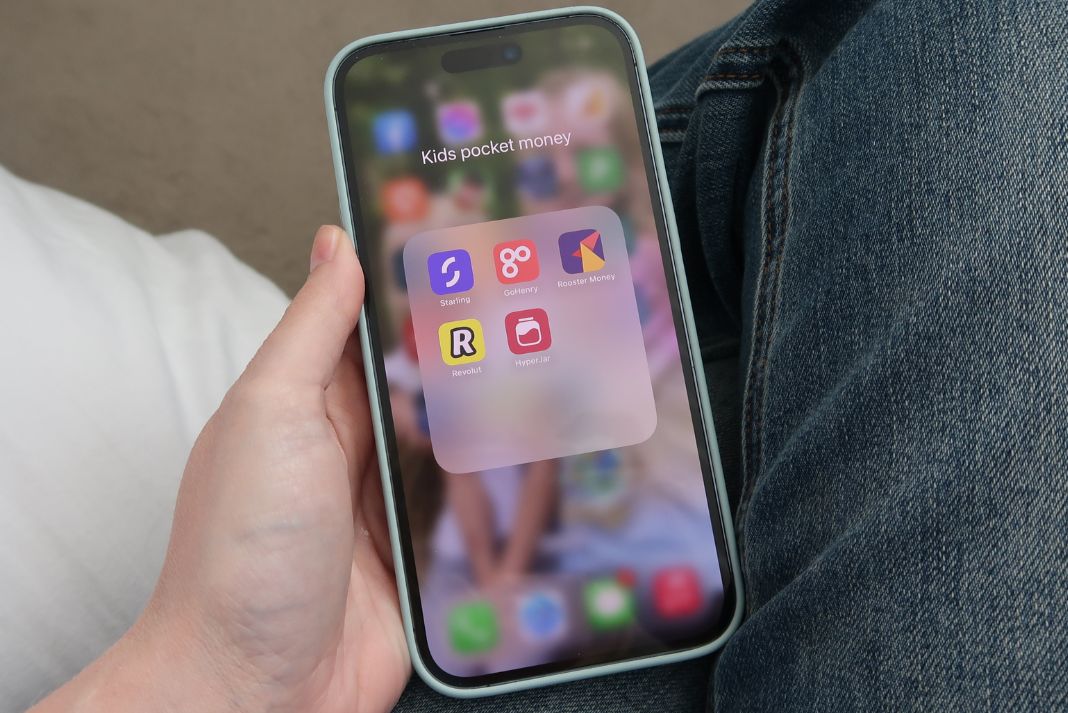
Best Pocket Money Apps and Spending Cards For Children
It’s never too early for kids to learn about money and budgeting.
As everything is moving increasingly to cashless payments, and banking online, I would like my kids to have more than a money jar on the shelf to teach them.
My two are aged 6 and 8, so as kids aged under 11 cannot get a current account (with debit card, only a savings account) I’m looking at pocket money apps with prepaid debit cards.
But we didn’t just want this to be a prepaid debit card, which made our search a little more complicated.
We also wanted the app to really help the kids understand their money, manage their spending and also incentivise them to earn pocket money by doing chores.
So an app that appeals to kids and has some cool features that engage them with budgeting is what we are seeking out.
There are several brilliant options on the market, but they all have certain pros and cons – such as costs, extra fees and app features.
The big pro for all of them is your child cannot spend more money than is in the account – there’s no overdraft.
Which one is best for you really depends on how important certain features of the apps are to you – such as a chore chart and savings goals – as well as potentially what apps or banks you already use yourself.
This article is going to go over the main features of pocket money apps and provide you with a comparison table so you can check out the differences between free and paid apps.
This article contains affiliate links.

Best pocket money app with debit card
The best paid-for app is GoHenry and the best free app is HyperJar.
Although there are downsides to GoHenry, such as fees for topping up your child’s account more than once a month, and the overall cost to use it per month, the features are great.
You can try out GoHenry for 3 months free of charge right here.
Having the chore tracker and savings goals makes the process of receiving pocket money and incentivising that a bit more engaging.
Rooster Card has the edge on GoHenry in terms of cost if you are a NatWest or RBS customer – as you can get access for free. BUT you can’t access the chore tracker feature – that comes from Rooster Plus which costs an extra 99p a month. This means that in terms of cost, when you take that into account, Rooster is actually around the same price as GoHenry if you are not a NatWest customer.
There are other GoHenry alternatives.
The best totally free option is HyperJar – with no fees and an app that looks good and features most of the things you need in the free version – kids can use jars to budget for things that they want.
If you are not looking for a pocket money app with extra features like chore lists and saving goals, then the free HyperJar app is the way to go.
Children’s pocket money apps and debit cards for under 11s
You cannot open a bank account for children under 11. But kids can get a prepaid debit card from age six, so this is what we will focus on in this article.
Once your child hits 11 there are a few more options when it comes to spending cards, however you may well choose to stick with one of these options longer.

For example you may decide you like the functionality of the app, and that it helps to incentivise your child to earn pocket money. Or that it is a great way to show them how much they have, so they learn about budgeting.
And it’s worth digging into all the spending limits, top-up limits and potential extra fees associated with each of these apps so you understand what you’re getting.
Remember that most of these apps are not banks, so any money you put in isn’t covered in the same way as money in your bank is under the Financial Services Compensation Scheme. What this means is if the business goes bust, it’s possible your money is at risk. It’s worth researching each individual company carefully to see what checks and balances they have in place to keep your money safe should anything go wrong.
Just a word on the fees. It may feel frustrating to pay fees for such a service, especially if you are only going to be giving your child a few quid a week. You’re paying for use of the app when it comes to the ones with all the extra features – such as Rooster and GoHenry. These aren’t like banks that will hold your cash in a current account without any charges.
All of these pocket money apps come with debit cards and kid-friendly apps, so you child can get to grips with cashless spending in stores and monitoring how much money they have.
GoHenry
With over 1.5million users in the UK, GoHenry is a popular option among parents.
The monthly fee may be hard to stomach – especially if you are only transferring small amounts of pocket money and have more than one child (the fees can soon add up).
But everything about it is geared up to be very engaging for kids – from the option to get a customised debit card to the app itself which has tons of features.
Parents set the day they want money to be added to their child’s GoHenry card and kids then learn to budget their money in the app.
Kids can earn pocket money by doing paid tasks set in the app – such as making their bed and tidying up their toys. Kids can tick them off themselves once completed, or you can set it up so you the parent says when a task is done.
See my full GoHenry review here.
Fee: £2.99 a month (per child, first month free)
Extras:
- £4.99 for a custom GoHenry card (free for non-custom card)
- One free transfer per month – top ups cost 50p a go
Ages: 6-18 years
How it works: Download the app, set up an account and order your child’s card.
Features
- Set spending limits
- Set chores and kids get paid once completed
- Savings goals with progress tracker
- Set money missions that teach kids about money management and let them earn points
- Certain merchants are blocked automatically, such as gambling businesses and off-licences, and parents can also enable a stricter merchant block that includes restaurants.
- Card can be used online
- Parents can set up a monthly direct debit to top up the account
- Block and unblock card in the app
- Giftlinks allow friends and family to send money to the GoHenry account
Rooster Card
Rooster Card is NatWest’s kids prepaid debit card and app. You do not have to have a NatWest account in order to use it, but you’ll benefit from having one because the Rooster Card (up to three) is free for customers. That makes it perfect for families with two or three kids (GoHenry charges per child).
Those who don’t bank with NatWest must pay £1.99 per month per child. In addition, if you want to unlock extra features you need Rooster Plus, which costs 99p per month (even NatWest customers must pay this extra fee to unlock features such as the chore tracker).
The app’s chore tracker allows parents to set tasks that must be completed in order to earn set amounts of pocket money. This can only be unlocked with Rooster Plus.
The Rooster Card is part of the company’s Rooster Money offers – which also includes a free budgeting app for kids aged 3 and up. There’s no debit card with this one or any deposits, but it is a good, free option for families with very young children wanting to get started with pocket money. It’s more of a tracker app.
Fee: £1.99 per month (free for eligible NatWest customers)
Extras: Rooster Plus fee is 99p a month for the whole family (this allows you unlock all features in the app such as the chore tracker and a parent-paid interest rate in their savings pots)
Ages: 6-18 years
How it works: Sign up and download the app to get started.
Features
- Three free transfers per day and up to 10 per month, then charged at 50p per transfer
- No ATM fees
- Up to 3 free Rooster Cards for NatWest customers.
- Choose a Rooster Card design from a range of options – this may incur an extra fee of £4.99.
- Anyone can contribute to the Rooster account – so grandparents can give cash for Christmases and birthdays
- You can add money for free up to three times per day and 10 times per month
- 15 maximum daily transactions
- 25 maximum weekly transactions
- £1000 maximum daily spend
- £200 daily withdrawal limit
- £45 contactless spending limit
- 3% fee on transactions abroad over £50 a month
Revolut <18
If all you’re after is the prepaid debit card and an app that can show your child their balance and transactions then Revolut <18 is a great option.
Parents will need a free Revolut adult account to then set up the junior account.
You can pay extra to add extra features such as setting tasks and savings goals. It will also cost you extra to have two children on one Revolut account.
Fee: Free
Extras: Fees start at £2.99 a month if you want to add more than one child or unlock extra features such as chores and challenges
Ages: 6-17 years
How it works: You will need an adult Revolut account in order to join Revolut <18. Your child’s account will be linked to yours.
Features
- Basic kids app on free version that allows them to view balance and transactions.
- No fee for topping up
- Kids can choose from a selection of card designs.
- Set savings goals – if you are on a paid Revolut account only (from £2.99 a month).
- Set challenges (such as chores) if you are a Plus, Premium and Metal or Ultra users (which all cost additional fees) and choose the amount they are rewarded for completing the challenge.
- Free for one child, if you want to add an additional child to an adult Revolut account it’s £2.99 a month.
HyperJar
HyperJar is an over 18s budgeting app that lets you create jars for expenses – basically it’s like a cash envelope budgeting system on your phone.
The app will also allow you to order a debit card for your child that’s linked to your HyperJar account. Your child can then download the HyperJar kids app to their phone or device and manage their pocket money.
This app and debit card is totally free, with no option to pay extra to unlock extra features, which is great as what you see is what you get with this app.
Fee: Free
Ages: 6-17 years
How it works: You’ll need an adult account to use HyperJar kids. You then pair a HyperJar kids card to the adult, or parent, account. So kids don’t get their own account, they get a section of their parent’s account. Your child then can download the app to their device
Features
- Helps kids manage their money with digital jars – budgeting for things like toys, sweets and gifts
- Set spending limits
- Receive notifications of your child’s spending
- No withdrawals from ATMs
- Minimum £10 top up
- No charges for transfers
- Block specific retailers
- Create a shared jar and invite up to 100 members to join it – allowing family and friends to pay birthday or Christmas money to your child’s account
Starling Kite
Starling Kite for kids exists as a pot within your own adult Starling account. There are no bells and whistles on this option, however this is the only one that comes with FSCS protection.
Although you can set spending limits and savings goals, there is no chore tracker. This may be a consideration if you’re particularly keen for that pocket money app feature.
The £2 a month fee makes it one of the cheaper paid-for apps, but I think the lack of extra features is a bit disappointing.
Fee: £2 a month (first month free)
Ages: 6-16 years
Features
- No option to set tasks or chores in the app.
- Free transfers
- Set daily spending limits
- Set where the card can be used – shops, online or at cash machines
- Easy to top up
- No charges for loading money
- Set savings goals
- Notifications when your child spends
- No overseas spending fees
- The only one on this list that has FSCS protection
- Share a Kite Link with friends and family so they can add money on birthdays and Christmas
The key features of all five of those apps are compared here so you can work out which one offers what and at what price.
| GoHenry | Rooster | Revolut <18 | HyperJar | Starling Kite | |
|---|---|---|---|---|---|
| Cost | £2.99/month | £1.99/month – Free for NatWest and RBS customers | Free – or £2.99, £6.99 or £12.99 to unlock extra features | Free – need an adult account to set up a kids one | £2/month |
| One-off cost for card | Free or £4.99 for custom | Free | £5 for delivery | Free | Free |
| Ages | 6-18 | 6-18 | 6-17 | 6-17 | 6-16 |
| Transfers | 1 free/month then 50p per load | 3 free/day and 10/month, then 50p per load | Free | Free | Free |
| Set chores & tasks | Yes | Yes – with 99p/month Rooster Plus | Yes – only with paid for accounts | No | No |
| Savings goals | Yes | Yes | Only with paid for accounts | Yes | Yes |
| Set limits on spending | Yes | Yes | Yes | Yes | Yes |
| Spending abroad | Fee free | 3% fee when spending over £50 a month | Free ATM withdrawals up to £40 (then 2%). Free spending up to £250/month | Fee free | Fee free |
| Notifications when child spends | Yes | Yes | Yes | Yes | Yes |
Other pocket money apps to consider
These apps don’t bring anything drastically different to the ones listed above and neither have free options.
But I’ve added them so you can take a closer look as they are competitors in this field.
Osper
Fee: £2.50 per child per month (first month free)
Extras: 50p charge to instantly load extra money to the account
Ages: 8-18 years
Features
- Set personal budget
- Savings goals
- Option to limit cash withdrawals
- Lock card if it’s lost or stolen
- Vendors such as pubs and other potentially non-child appropriate places blocked
- Charge of £2 per ATM withdrawal overseas and 3% on purchases
Nimbl
Fee: £2.49 per month
Ages: 6-18 years
Features
- Savings goals
- Cannot set tasks or chores in the app
- Micro saving features lets your child save between 5p and £5 whenever they spend
- Set spending limits
- No fee for topping up the card
- Charge of £1.50 per ATM withdrawal when travelling abroad
Features to consider when choosing a pocket money app
When you’re mulling over your decision these are the things you may like to consider. How important each one is to you very much depends on your own circumstances and ultimately what you want to get out of the app.
- Cost
- Engaging app designed to be appealing to kids that is easy to navigate and clear
- How you will use the app – if your child doesn’t have their own smartphone, will the app you’re looking at using be OK to use on your phone or can it be used on their tablet (I’ve tried to add all of these apps to my children’s Amazon Fire Kids tablets and it won’t work, but they do work on an iPad).
- Ability to set savings goals
- Option to add chores and tasks that allow your child to unlock some pocket money
- Alerts telling you when card has been used
- Summary of your child’s spending and where they spent their money
- Able to block and unblock the prepaid debit card
- Control allowing you to block use of the card with specific retailers
- Option to share account details with a grandparent or other relative so they can add money for the child
- Cost of overseas use if you plan for your child to travel with the prepaid debit card
- Does it come with FSCS protection
Final thoughts
So as you can see there are a few considerations to bear in mind when deciding on the best pocket money app for your child.
If you want to keep it cheap and simple then HyperJar or Revolut <18 are sound choices – if you don’t mind setting up adult accounts first.
However for all the features it offers I would say GoHenry is a top choice.
You may find my GoHenry vs HyperJar article useful.
Existing NatWest and RBS customers will be happy with a free Rooster Card – provided you aren’t wanting the chore tracker (that will cost 99p a month extra).
You may also like my frugal living tips.


