How to rank first on Pinterest
Pinterest is my number one driver of traffic and I just love it.
I can publish a post, make a beautiful pin and within an hour there may be dozens of people on my site taking a look.
BUT how do you make sure that pin keeps on delivering you traffic rather than just being a temporary spike?
It’s not enough to just have pins show up in people’s home feeds because they follow you or because your pin is relevant to their interests. We want our pins to also be showing up in search.
The good news is you can massively increase your chances of ranking right at the top on Pinterest with a little focus and I’m going to share exactly how you can.
I have several pins that rank for my parenting site right at the number 1 spot!
This pin for toddler crafts was a real surprise for me as I’m actually not a great crafter, but I try my best because the kids love it, and it’s a totally relevant pin for my audience to that blog.

Then there’s this pin which is something I’m so happy to be ranking high for.

So how can you rank number one on Pinterest?
It comes down to three key things. Writing relevant content for your audience, making beautiful pins, and using great keywords.
Oh, and not forgetting consistency. Show up on the platform every single day pinning your content. Because you will never ever rank number one if you’re pinning once or twice a week.
Well, maybe you’ll get lucky, but if this is your business you want certainty, not luck!
Why does Pinterest SEO matter?
Pinterest is more than a social media platform, Pinterest is a search engine!
In fact it’s one of the world’s biggest search engines, with 320 million active users on the platform.
That’s a lot of people, and trust me when I say that a proportion of those people will be interested in what you have to say over on your blog.
When it comes to traffic, Google is often considered to be the holy grail of traffic.
Everyone wants traffic from Google because it’s generally thought to be more sustainable in the long-term and your visitors from Google will spent longer in your site. They are also more likely to buy via affiliate links because they land on your site with greater intention than from a social media platform.
But, in certain niches Google can be very tricky. This is especially the case if your blog covers issues such as money and health. Google wants to direct its users to the most trustworthy and reliable sites, so you’re competing with the big guns like large news websites and the NHS.
Their algorithm shifts constantly, so while you should always try to get more Google traffic to your blog, it’s important to diversify where your blog traffic comes from.
My blog The Mummy Bubble receives 130,000 page views per month and these are largely from Pinterest.
These page views have allowed me to monetise my site with ads which bring in a decent amount of cash for me every month.
So if you want to grow your blog traffic, you need to start paying attention to Pinterest SEO.
You may also like:
The secret to using Pinterest to explode your blog traffic
How to rank #1 on Pinterest
So you know it’s important for your traffic to rank at the top of searches for relevant keywords, but how do you get there?
Here’s everything you need to do to rank higher on Pinterest search.
Optimise your Pinterest profile and boards
To get started you need to do some serious housekeeping on your Pinterest profile.
It’s really important to know your keywords and have these in all the right places so that Pinterest knows exactly what you’re about.
You can and should add keywords to the following places:
- Your profile name
- Your profile description
- Your board names
- Your board descriptions
- Your pins
When adding keywords to your profile description and board descriptions try not to just litter keywords in a list without any sense. Be chatty and write for your audience, but scatter keywords into your sentences.
So I’ve already mentioned keywords several times. But what do I mean by Pinterest keywords and how do you know what keywords to use?
Start by thinking about what your blog is all about. What’s your main overall niche, for example on my parenting blog it’s babies and toddlers.
Then think about what the sub-categories of that are and the sub-sub-categories are. This is where your keywords start to pop up.
If you’re lacking in inspiration, try this tip. It’s also great for coming up with ideas for new blog posts!
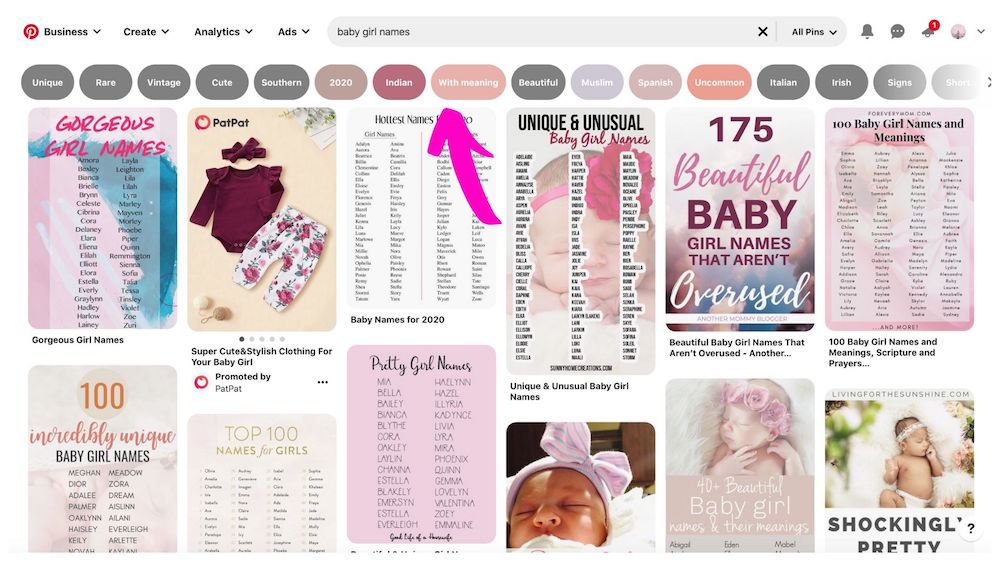
Go to Pinterest and hit the search bar. Type in a word relevant to your blog. So for example for my parenting site I may type in “baby” then allow Pinterest’s autocomplete function to kick in and see what it comes up with.

If you click on either just the word baby, or one of the autocomplete sentences, you then get some words in bubbles above the search results. These are long-tail keywords relevant to the one you have just searched!
Make beautiful pins
Of all the mistakes I see people making on Pinterest, this is the biggest one by far!
Some people find a template they love and use it, along with the same colours and fonts, again and again and again.
The trouble is when you look at their feed all their pins look exactly the same, so much so that you get bored and click away.
Other people may use teeny tiny fonts that mean you can’t read the title of the blog post, or dull, poor quality stock images.
If you are struggling to get traction on Pinterest it may be several things, but honestly one of the biggest issues can be your pin design.
So, making beautiful pins is really important.
If you are struggling to design pins, check out what other people in your niche are doing. Don’t copy them, but draw inspiration from the colour palettes they are using along with the design.
You can create gorgeous pins completely free in Canva.
It’s where I design most of my pins, although recently I have also been experimenting with PicMonkey which I use to make my YouTube thumbnails.
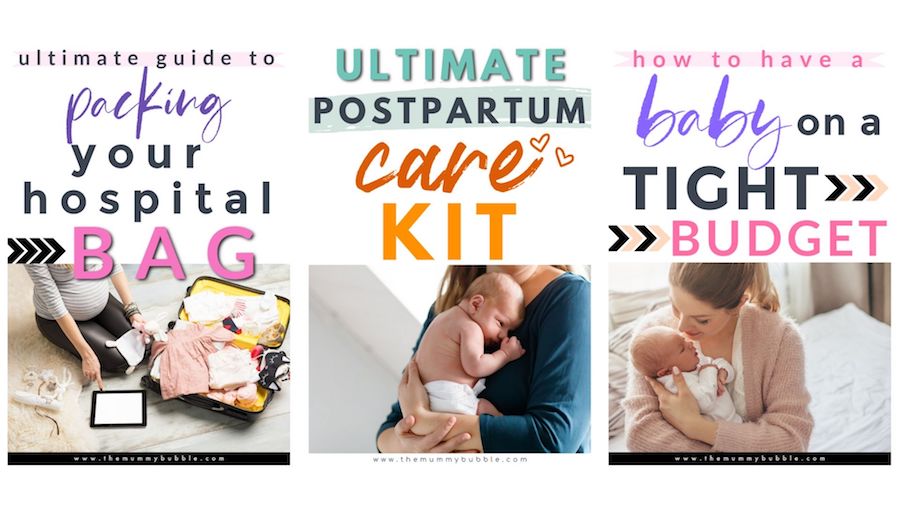
I used to use Canva’s pin templates which are great but I now just make them up from scratch.
Once you have these templates in place, making new pins can be done so quickly. I recommend allocating a couple of hours to get to grips with Canva and playing around with designs.
I have roughly five or six templates I have designed myself and every time I go to make a new pin I pick a template, play around with it a little and change the colours, then add my text for the blog post and that’s it.
I am then constantly trying slightly different designs to see what works best.
Some of my pins have a single image, while others may have two with the text in the centre or I sometimes use a collage for round-up posts on crafting.
For pin dimensions, your pins must be upright and you can try either 1,000 by 1,500 pixels or a 2:3 aspect ratio.
I recommend making two pins whenever you create a new blog post, then as time goes on keep returning and making fresh pins for that post. Mix it up with designs as much as you can!
It’s also really important you use great stock images for your pins. Don’t rely on shoddy free images. Stock photos is one area of investment for your blog that you really need to make.
I get my images from either DepositPhotos or Shutterstock.
The biggest mistakes I see when it comes to pin design are:
- Font too small.
- Font colour against background colour are not contrasting, so text is not clear.
- Overuse of italic font that’s difficult to read.
- Poor quality stock images.
- Every pin looks nearly identical.
Make it relevant
It’s really important that Pinterest understands what your blog is about and who it’s for.
Make it clear by sharing only relevant content for your audience.
I’ve written in this blog about about choosing a niche for your blog and why it’s relevant.
Your audience will continue coming back to you for information on this specific subject, and Pinterest will know to recommend you to others because you share loads of great information on that subject.
In the early days of blogging you may have two or three different topics you are trying out. That’s fine. Remember to focus on helpful content that answers a question or pain point for people, and keep checking your analytics on your traffic.
If people keep visiting the same type of content on your blog again and again, that’s the content you need to focus on creating more of.
Don’t spam Pinterest
When it comes to Pinterest it’s definitely about quality and not quantity.
You do not have to share 100 pins a day, and in fact you definitely shouldn’t!
The consensus among bloggers right now appears to be a maximum of 25 pins per day. Some successful bloggers are even pinning as few as 10 pins per day.
But as well as keeping the number of times you pin low, it’s also important that you only pin a particular blog post once, maximum twice, per day. Don’t pin a new pin and then immediately repin it to one of your other boards.
Add your new pin to your most relevant board, then schedule that pin in Tailwind to go out to four to six other boards in intervals of at least five days.
It’s really important that bloggers support other bloggers, so do share content from others in your niche.
Do double check what you are sharing however, because Pinterest favours profiles that have lots of quality content. Check what you’re pinning to your boards goes to a relevant website (not a spam site).
Use Tailwind
Tailwind is useful for your Pinterest success in two ways:
It means you can pin 24/7 without losing sleep.
It connects you with other bloggers who may share your content with their audience.
Tailwind is a Pinterest-approved scheduler for your pins. I use it to pin in my sleep for my parenting website because much of my audience is global and I can’t stay up all night manually pinning for them!
I love Tailwind for the scheduler, but also the Tribes feature.
With Tribes you can share your content with fellow bloggers in your niche, and they may share it with their audience. When you do share a pin to Tribes there’s no obligation for others to share it, but if you make beautiful pins that link to a blog post that’s relevant for your tribemates, then chances are they will!
When choosing Tribes to join you need to focus on the ones that are relevant to your niche. Try to avoid the general blogging Tribes as they are often difficult to get noticed in and many of the tribemates won’t be relevant for your content.
Tribes are another reason why it’s so important your pins look great. It will help you stand out amongst a sea of competing pins in the Tribe!
Keep going
As with all things to do with blogging, not everything you do will work and sometimes a pin you thought looked amazing will tank.
Bloggers who are successful didn’t become so by pinning one awesome pin and then watching the money roll in.
They put in the hours, consistently creating brand new pins, playing with design, writing new content and showing up every day to grow their brand.
So the biggest thing you can do for your blog and business is don’t give up!
Keep making fresh pins, pin 2-3 new pins every day if you can and keep researching key words in your niche.
You will nab one of those top spots!
Final thoughts on ranking first on Pinterest
This is everything you need to know to rank at the top for Pinterest search!
I hope you see great results, just remember to keep your content relevant and make sure your pins stand out!
Happy pinning!